
In addition to files in your Canvas course, public URLs, and cloud locations like Google Drive and OneDrive, you can now use Hypothesis to link directly to journals and articles from JSTOR. You can do this both with Hypothesis assignments in your course and modules.
To use a JSTOR journal or article with a Hypothesis assignment:
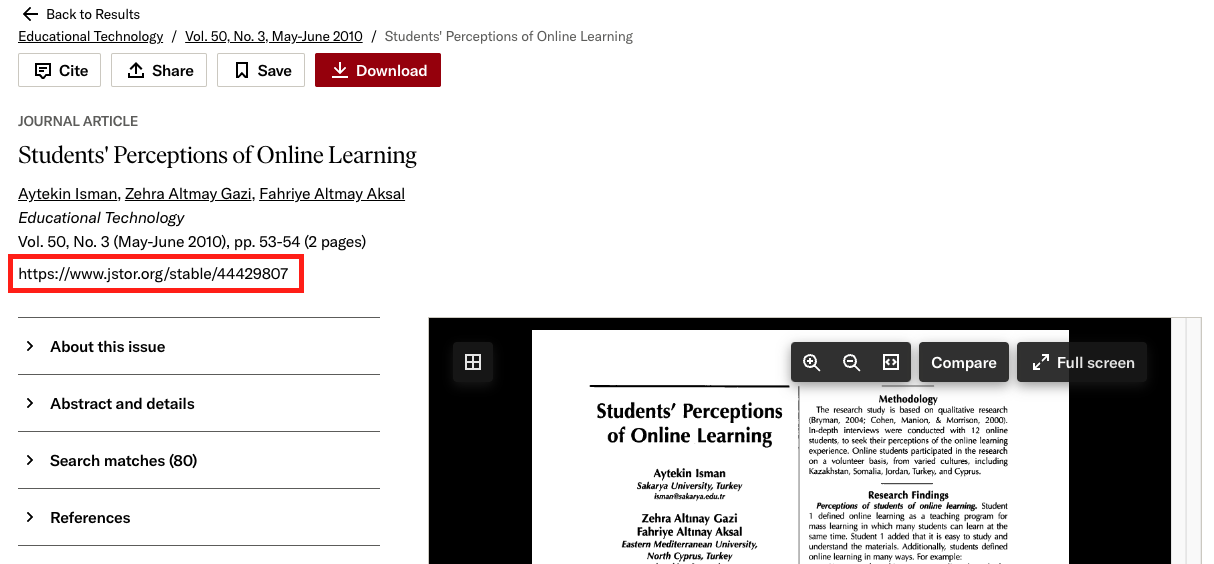
- Navigate to CSUCI’s JSTOR page and find the article that you want to use in your assignment
- Copy the article’s Stable URL. This URL is listed as part of the content metadata section of the page and is usually found on the left side of the content’s full-text preview. It will be formatted like https://www.jstor.org/stable/xxxxxxx
- Create a Hypothesis assignment in your course
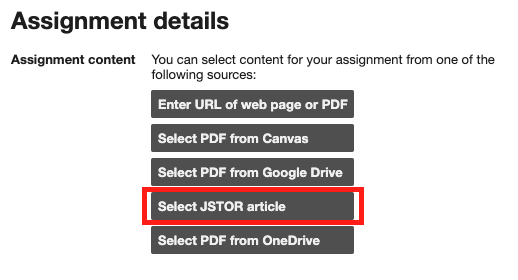
- During the assignment creation process when you’re asked which type of resource you’d like to use for your assignment, select the JSTOR option
- Paste the Stable URL that you copied in step 2 into the pop-up window. This will give you a preview of the content and verify that you have access to it.
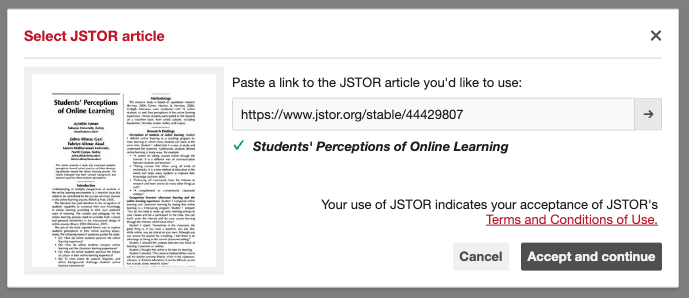
- Click ‘Accept and continue,’ and finish setting up your assignment.
